Calendly, Acuity and Paperbell bill $10–57 every month for scheduling alone. Booking Kit is a branded booking page, slot admin and instant confirmations that run on your own free Cloudflare account — one zip, no npm install, about five minutes to deploy. One payment of ฿1,490, then nothing.
Get the kit — ฿1,490One zip. The booking system is a single Cloudflare Worker script with zero npm dependencies — you edit one config block (brand, hours, services, wording) and deploy with three commands.
Your name, services, prices, hours and cancellation policy — on your own domain or free workers.dev address. Every client-facing sentence sits in one config block, so the page speaks any language you speak.
A private panel shows every upcoming booking with client notes. Cancel in one click, block a holiday or sick day, and export everything to CSV for your records. Protected by your own admin token.
The moment a client books, they get a confirmation screen with a booking reference and a one-click .ics file for Google, Apple or Outlook. No waiting for you to reply "does Tuesday work?".
Subscribe your Google or Apple calendar to the built-in private feed once, and every new booking shows up in the calendar you already live in. The feed URL is yours; the kit never phones home.
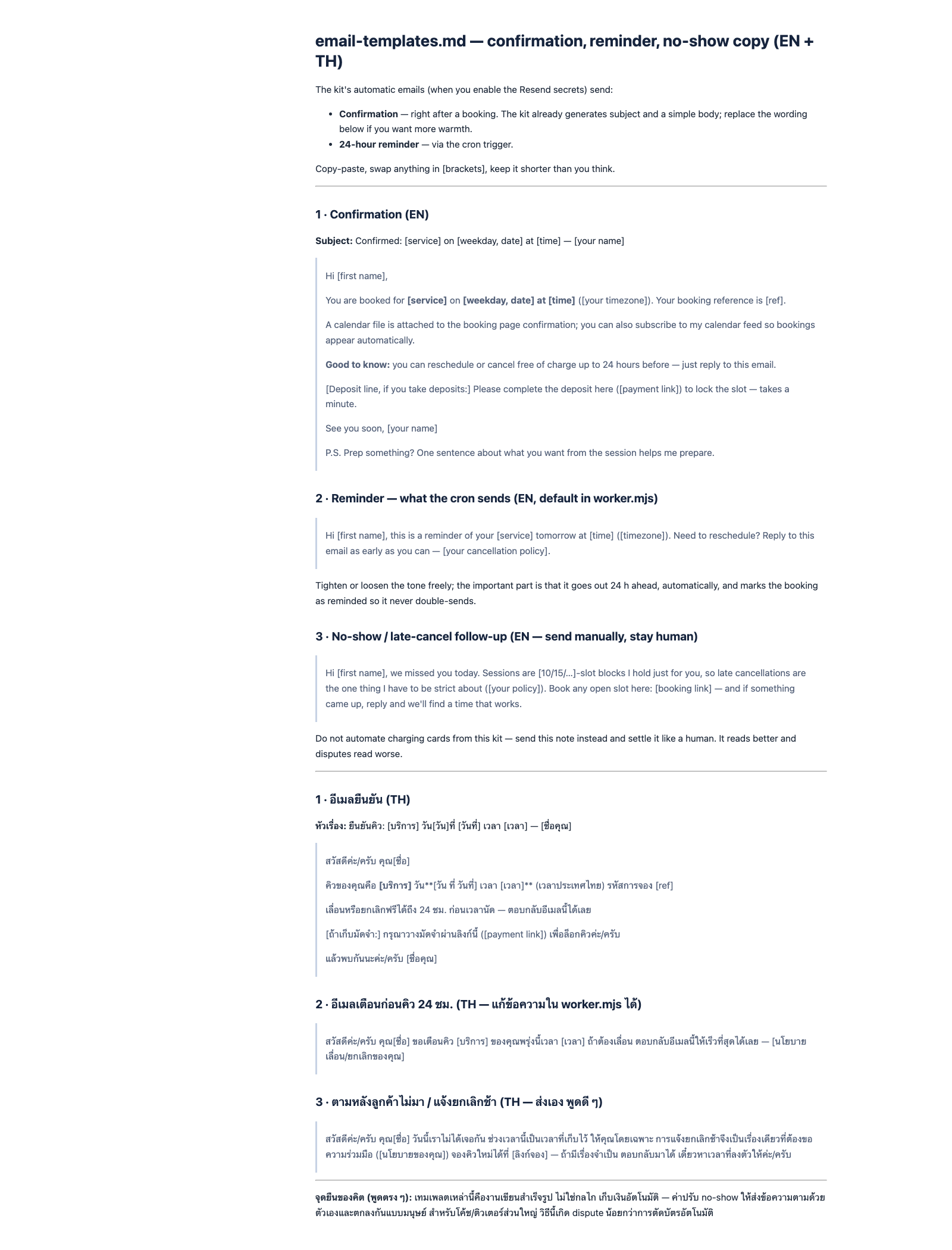
Add two free Resend keys and every booking also sends a written confirmation, plus an automatic 24-hour reminder that never double-sends. Without them, the page simply never claims an email was sent.
Paste any Stripe or PayPal payment link into a service and the confirmation screen shows a pay button. The money lands in your account directly — the kit takes no cut and touches no cards.
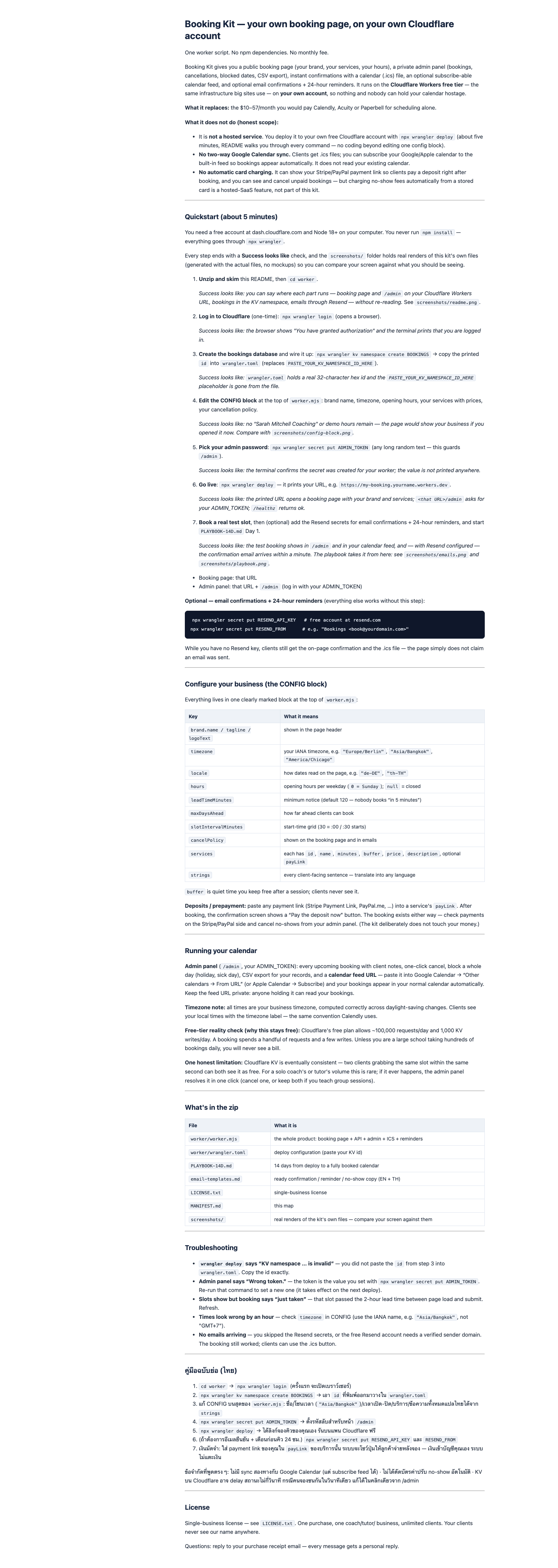
It is self-hosted. You deploy it to your own free Cloudflare account with three commands (every keystroke is in the README, no coding beyond editing the config block). That is exactly why there is no monthly bill and no company that can hold your calendar hostage — but it means there is no dashboard login we maintain for you.
No two-way Google Calendar sync. Clients download .ics files and your calendar subscribes to the built-in feed, so bookings flow into your week automatically. The kit does not read your existing calendar — keep internal appointments out of the booking hours, or block the day from the admin panel.
No automatic card charging. Deposits go through your own payment link, and charging a no-show fee from a stored card is a hosted-SaaS feature this kit deliberately does not imitate — the zip includes human no-show follow-up copy instead. One technical note: two clients grabbing the same slot within the same second is possible (the storage is eventually consistent), rare at a solo coach's volume, and resolves in one click from the admin panel.
From zip to live booking link in one coffee break.
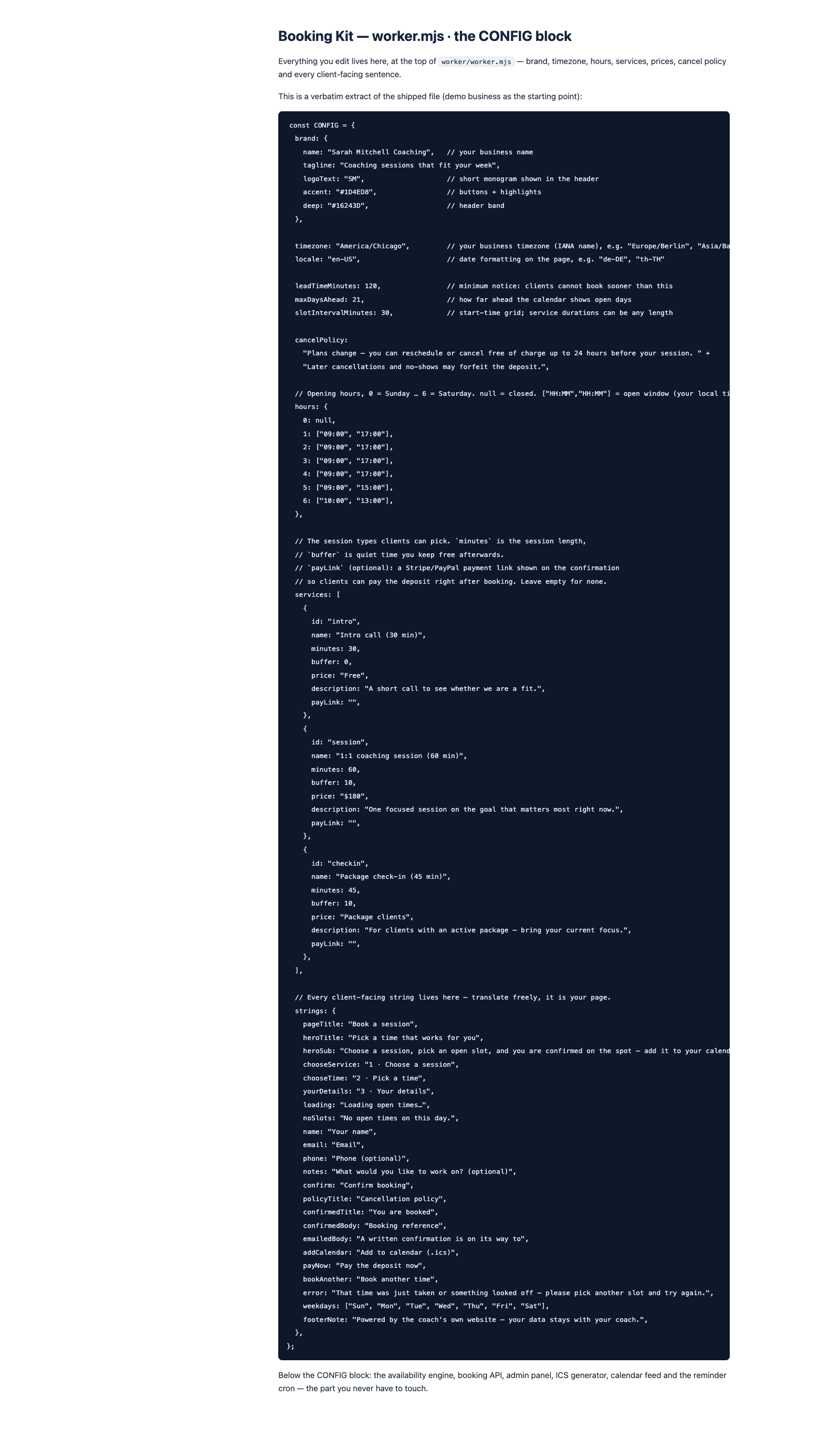
Brand, timezone, opening hours, services with prices and buffers, your cancellation policy, every sentence clients read — all at the top of one clearly marked file.
timezone: "Europe/Berlin"
Create a free Cloudflare account, log in once, paste the KV id the command prints, run deploy. No npm install, no build step, no server to babysit afterwards.
npx wrangler deploy
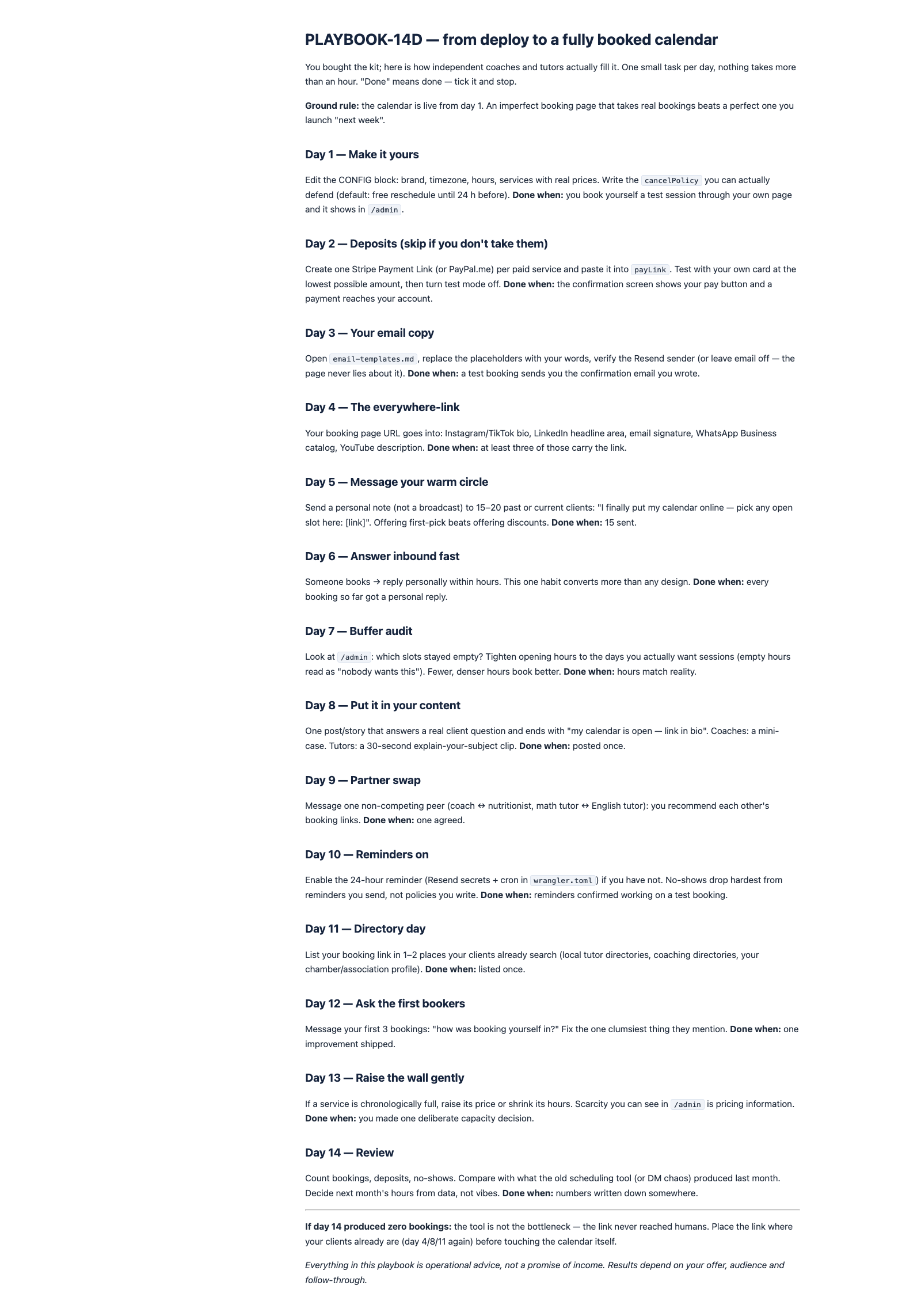
Your booking URL goes in your bio, email signature and WhatsApp catalog. Bookings land in the admin panel and your calendar feed — the 14-day playbook tells you where to put the link first.
yourname.workers.dev
No monthly plan, no per-booking fee, no commission on your sessions.
Secure payment via Stripe · 14-day full refund, no questions · single-business license · free v1.x updates · instant download
A free Cloudflare account and Node 18+ on your computer. You never run npm install — the whole kit deploys through the wrangler command-line tool, and the README walks you through every command (create storage, paste an id, set an admin password, deploy). The only "coding" is editing the clearly marked config block: your name, hours, services and wording.
Cloudflare's free tier allows around 100,000 requests and 1,000 database writes per day. One booking uses a handful of both. Unless you run a school taking hundreds of bookings daily, you will never see a bill — the same tier hosts this very page. The only optional cost is email: the free Resend tier covers thousands of confirmation and reminder emails per month.
Yes — paste your Stripe Payment Link or PayPal link into a service, and the confirmation screen shows a pay button right after booking. The money goes directly to your account; the kit takes no cut. What it deliberately does not do is store cards and auto-charge no-show fees — that is a hosted-SaaS feature with real dispute risk. For no-shows you send the included human follow-up note instead.
One direction, automatically: subscribe your Google or Apple calendar to the kit's private feed once, and every booking appears in your normal calendar. The kit does not read your existing calendar — if you have a personal appointment on Tuesday, block Tuesday in the admin panel (one click) or set the booking hours to match your real week.
Every booking request re-checks the whole day against your opening hours, lead time, blocked days and existing bookings — an overlapping request is rejected with a "just taken" message. Honest limit: the storage is eventually consistent, so two requests in the same second can both slip through. At a solo coach's volume this is rare, and the admin panel resolves it in one click.
Yes — every client-facing sentence (buttons, labels, policy, email wording) lives in the config block, so you translate it into anything from German to Thai without touching the logic. Dates and times follow your timezone and locale settings, daylight-saving included. The documentation is English with a condensed Thai quickstart.
If the kit does not fit how you work, email [email protected] within 14 days of purchase for a full refund — the zip is yours to keep or delete. One refund per purchase; an optional reason helps us improve.

฿1,490 one-time · ≈ US$42 · free v1.x updates · instant download · 14-day refund
Get Booking Kit — ฿1,490